
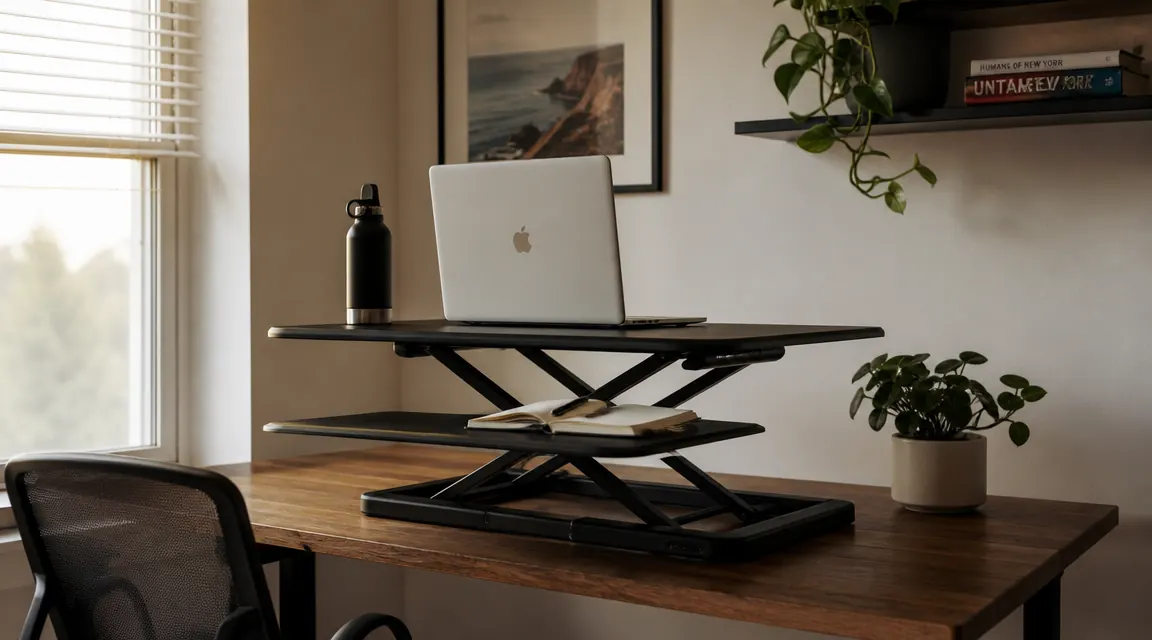
I've had a full motorized standing desk. I've also had a TechOrbits standing desk converter sitting on top of a regular desk I already owned. After living with both, the converter wins for anyone in a rented apartment, a small home office, or a sleeper cab where every inch counts. The full desk looks impressive in a YouTube setup tour. The converter is the thing you'll actually use every day without thinking twice about it.
Here are ten concrete reasons a desk converter, specifically the TechOrbits 32-inch model, makes more sense than buying a full standing desk when space, budget, or flexibility matters to you.
Want the full standing experience without replacing your desk?
The TechOrbits 32-inch converter has 7,178 reviews and a 4.6-star rating. It sits on your existing desk, ships in one box, and takes about 15 minutes to assemble. Check today's price below.
Amazon Check Today's Price on Amazon →It Costs a Fraction of a Full Standing Desk
A decent motorized standing desk starts in the mid-to-upper range and the better ones run higher still. The TechOrbits converter runs at a budget price. You get the same sit-stand movement for roughly one-fifth the price. If you're not sure whether you'll stick with standing, that math matters a lot. Spend less, find out it works for you, upgrade later if you want.
It Sits on the Desk You Already Have
A full standing desk replaces your existing desk. You have to move everything off, disassemble what you own, dispose of it, and find a place for the new frame plus top. A converter lands on top of what you already have in about 15 minutes. If you have a desk you like, or a desk that fits a tight space precisely, that matters. You keep it.
No Outlet Required
Motorized desks need a power cord routed to an outlet for the lift mechanism. The TechOrbits converter is manual, gas-spring assisted. You lift it, it holds. No cord running to the floor, no outlet location dictating where your desk can go. In an older apartment or a truck cab where outlets are limited and awkwardly placed, this is a genuine practical advantage.
It Packs and Moves Like Furniture Should
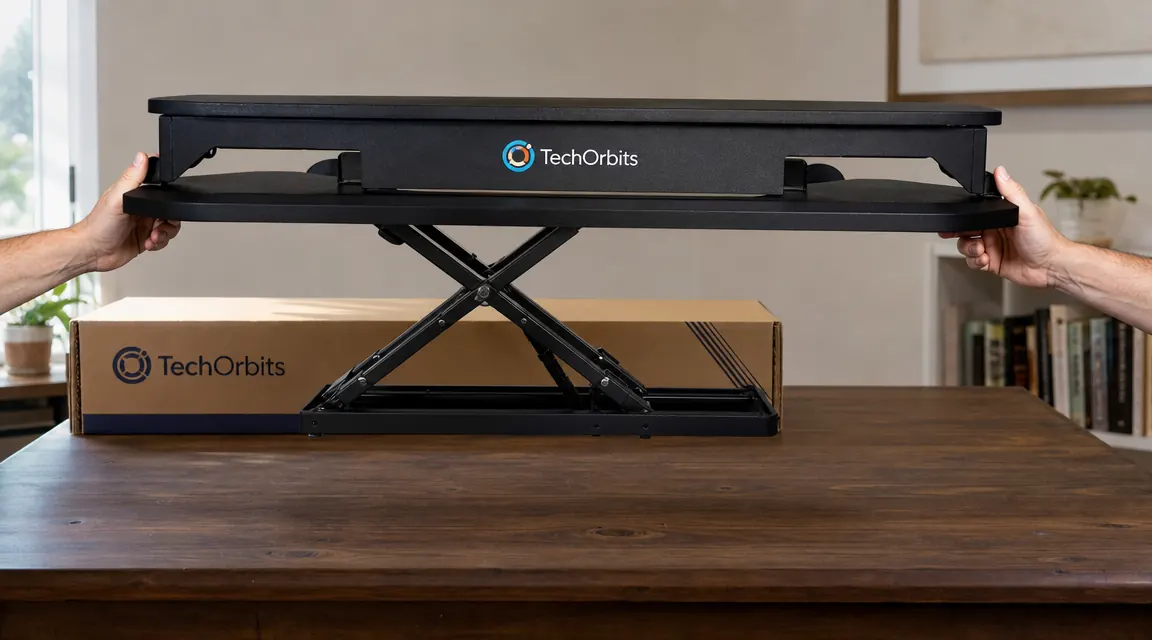
The TechOrbits converter ships in a single manageable box and you can lift it with two hands. A full standing desk ships in two to four heavy boxes with steel frame sections that take two people and an afternoon to move. If you move every year, or rotate between a home office and a road setup, the converter is the thing you'll actually bring with you.
It Won't Violate Your Lease or Confuse Your Landlord
Drilling into a rental floor for cable management, or leaving behind a 70-pound steel frame on move-out day, creates friction with landlords. A converter has no permanent footprint. It sits on a desk. You take it when you go. There's nothing to explain, nothing to patch, nothing to argue about at the end of a lease.
It's Easy to Sell if You Change Your Mind
A motorized desk sells for a fraction of its price used because everyone lowballs bulky furniture. A converter is smaller, lighter, easier to photograph, easier to ship, and sells at a better percentage of its original price. If standing stops being your thing, or you need to downsize fast, the converter gives you a real resale option.
Assembly Takes 15 Minutes, Not 90
Most motorized standing desks come with 40 to 60 hardware pieces, metal frame sections that have to align perfectly, and instructions that assume you have a friend helping. The TechOrbits converter arrives mostly assembled. You attach a couple of bolts and you're done. That's the whole process. Most people are working at it within 20 minutes of opening the box.

Wobble at Typing Height Is Actually Lower
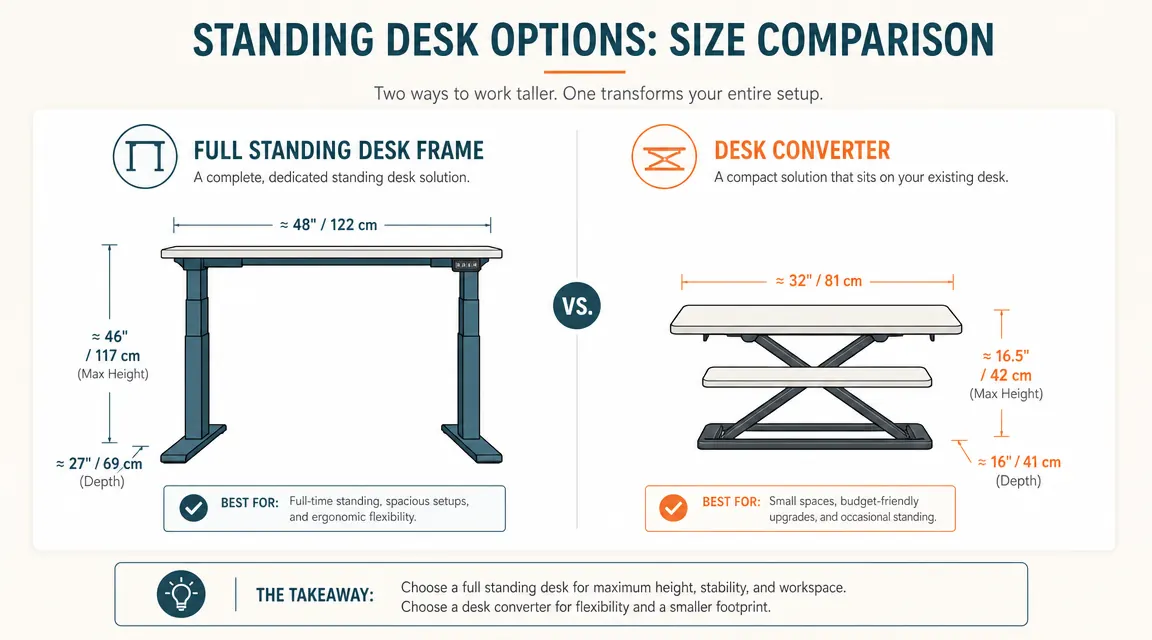
Full standing desks wobble more than people admit. At standing height, a long desk surface with a two-leg or four-leg frame has a lot of leverage working against stability. A converter is compact, 32 inches wide, and raises a smaller surface. At the height most people type at while standing, it's rock solid. No keyboard bounce, no monitor shake when you type hard.
The Monitor Rises With It
The TechOrbits converter has a raised monitor shelf built in. When you go from sitting to standing height, the monitor comes with you automatically. With a full standing desk, if your monitor is on an arm that isn't adjusted for standing, you're craning your neck down. The converter solves monitor height and desk height together in one movement.
A Keyboard Tray Is Already Included
The keyboard tray on the TechOrbits is not an add-on. It's part of the unit, built into the lower platform. When you raise the converter, your keyboard and mouse come with it at the right ergonomic height. No separate tray purchase, no alignment issues. Full standing desks almost never include this. It's either built into the converter or you're buying it separately.
At standing height, the TechOrbits converter is more stable than most full standing desks I've used. Smaller surface, shorter lever arm, better result.
What I'd Skip
If you have a large dedicated home office, a lease you're not moving out of any time soon, and you work 8 or more hours a day at the desk, a full motorized standing desk makes sense. The powered height adjustment is genuinely convenient if you're transitioning 10 to 15 times a day, and a large surface gives you more room to spread out. For that setup, a mid-to-upper-range desk is a reasonable long-term investment.
The converter is not the right call if your existing desk is shallow, under 24 inches deep. The converter needs room to sit and still leave you adequate depth. It's also not ideal if you need a full 60-inch wide work surface while standing. The 32-inch converter platform is generous for a monitor plus keyboard, but it's not a replacement for a wide L-desk.
For everyone else, especially renters, people in small spaces, road workers, and anyone not sure if they'll stick with standing, the converter is the cleaner, cheaper, more flexible answer. You can read the full year-long breakdown in the TechOrbits desk converter review if you want more detail on long-term durability and daily use.
The TechOrbits converter: budget-friendly, arrives mostly built, fits on the desk you already have.
With 7,178 reviews and a 4.6 out of 5 rating, it's the most-tested converter in this price range. If you're on the fence about standing desks in general, this is the lowest-risk way to find out if it changes how you feel by 3pm.
Amazon Check Today's Price on Amazon →