

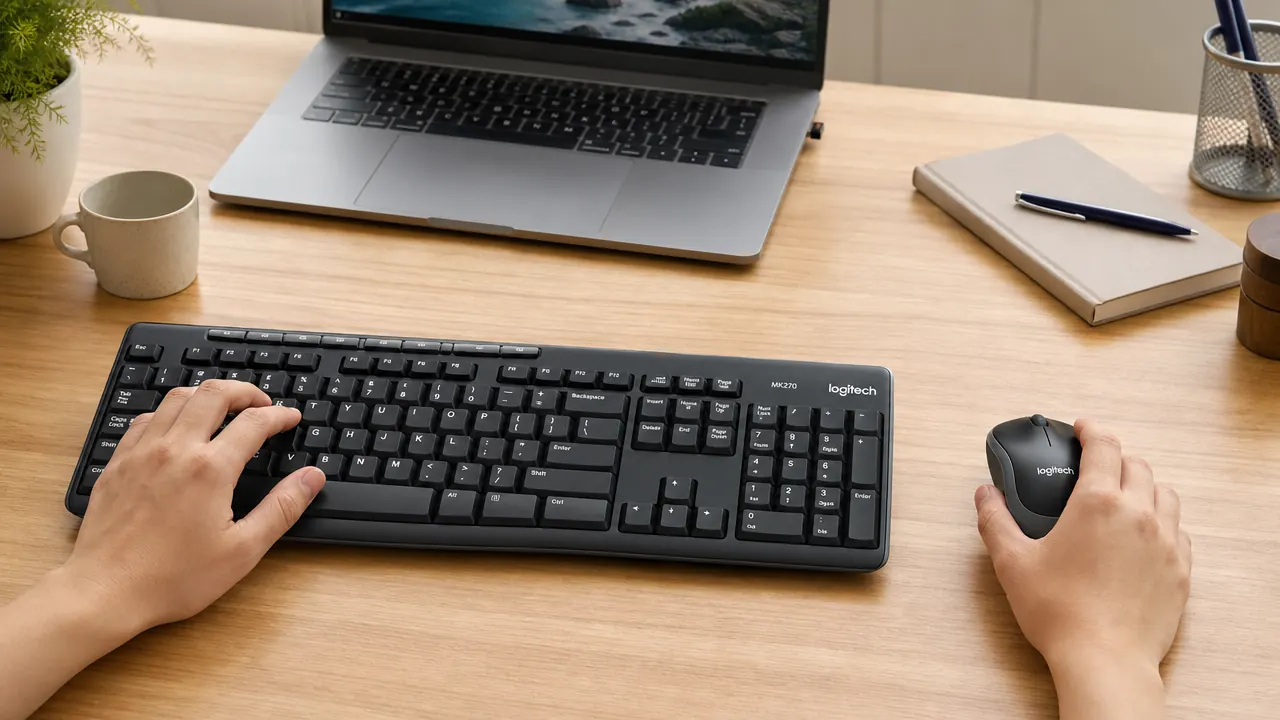
There were seven cables behind my desk last spring. Today the only thing plugged into the back of my workstation besides power is a Logitech MK270 wireless keyboard and mouse receiver about the size of a fingernail.
The real moment came on a Tuesday afternoon when I accidentally yanked the USB hub off the desk and it took the keyboard with it. Nothing broke, but I sat there for a second staring at the pile on the floor and thought: this is not a workspace. This is a junction box with a chair in front of it.
I had tried to fix the cable problem twice before. First attempt: a cable management tray under the desk. It helped with the monitor and power cables, but the keyboard and mouse cables still had to travel from the back edge of the desk to wherever my hands were. Second attempt: a powered USB hub to consolidate ports. That one made things worse. The hub needed its own cable, and it kept dropping connection on my mouse every two or three days, apparently just because it felt like it. I spent more time troubleshooting that hub than I saved by using it.
The actual solution was more obvious than either of those. Get rid of the keyboard and mouse cables entirely. I had been avoiding wireless peripherals because I had a bad experience with a no-name wireless keyboard around 2019 that had half-second input lag and ate through AA batteries in about three weeks. I had written off the category based on that one bad product, which was not a fair test.
I was not looking for a keyboard and mouse to be excited about. I was looking for one that would stay out of my way, stay connected, and not ask me to replace batteries every three weeks.
When I started looking seriously, I wanted a combo kit rather than separate keyboard and mouse. Separate wireless devices mean two different receivers, two different pairing flows, two different battery schedules. A combo with a single receiver covers both with one port and one setup. The Logitech MK270 came up immediately. Over 118,000 reviews on Amazon, 4.5 stars. The review count alone told me this was not some random brand taking a swing at the category. That is a product people buy and then do not return.
If cable clutter is the main thing standing between you and a clean desk, one receiver fixes both.
The Logitech MK270 ships the keyboard and mouse together with a single nano-receiver. One USB port, no pairing headaches, no separate battery schedules. Check the current price on Amazon and see if it is in stock.
Amazon Check Today's Price on Amazon →
I ordered it and had it set up by the next morning. Setup was genuinely the simplest thing I have done to my desk in years. Plug the nano-receiver into a USB port. Turn the keyboard on. Turn the mouse on. That was it. No software, no pairing button, no waiting for drivers to install. Both devices connected on first power-up and have not dropped connection since.
The keyboard takes two AAA batteries. The mouse takes one AA. Logitech claims 24 months on the keyboard and 12 months on the mouse. I have had mine for about eight months and have not swapped anything yet. Both devices have an auto-sleep mode, so if you step away from your desk they power down and wake up when you touch them again. That is almost certainly how they hit those battery life numbers, but it works. I do not think about batteries anymore.
The typing feel is standard membrane. Not mechanical, not trying to be mechanical. The keys have a soft tactile bump and a quiet click that does not bother anyone in the next room. If you have ever typed on a Dell or HP bundled keyboard, you already know what this feels like. It is not exciting. It is not supposed to be exciting. It is supposed to work all day without making you think about it, and it does.
The mouse is similarly unremarkable in the best sense. Optical sensor, comfortable for right-handed use, scroll wheel that does not skip. I use it for about six hours a day across two monitors and my wrist has no complaints. It is not the mouse I would buy if I were doing precision photo editing or gaming at any level. It is the mouse I would buy if I want to stop thinking about my mouse.
What I'd Tell You If We Were Sitting at My Kitchen Table
Here is the honest version: the MK270 is not going to change the way you work. It is not ergonomic in any special way, it is not programmable, it does not have backlit keys, and it is not going to replace a mechanical keyboard if that is what you are into. If any of those things matter to you, this is not the right kit.
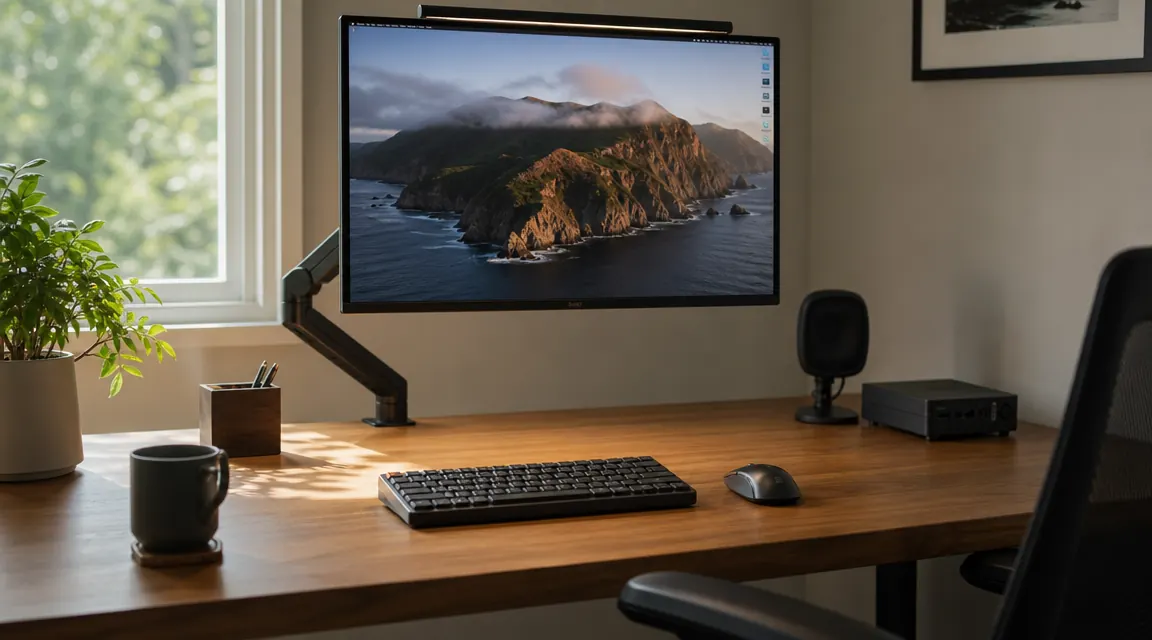
What it does is remove two cables from your desk surface, stay connected reliably, and ask nothing from you for months at a time. If you are dealing with the same cable chaos I had, that is worth more than any feature checklist. My desk went from seven cables crossing the surface to two. The two that remain are the monitor power cable and a single USB-C charging line I route under the edge. Everything else is gone. That change takes about five minutes. I wish I had done it two years earlier.
The MK270 is not the most interesting thing on my desk. It is the thing that made the rest of my desk easier to use. That is a fair trade.
Two cables instead of seven. Takes five minutes to set up.
If your desk looks anything like mine did, the Logitech MK270 is the lowest-friction fix available. One nano-receiver, no software required, keyboard and mouse both included. Check the current price and availability on Amazon.
Amazon Check Today's Price on Amazon →