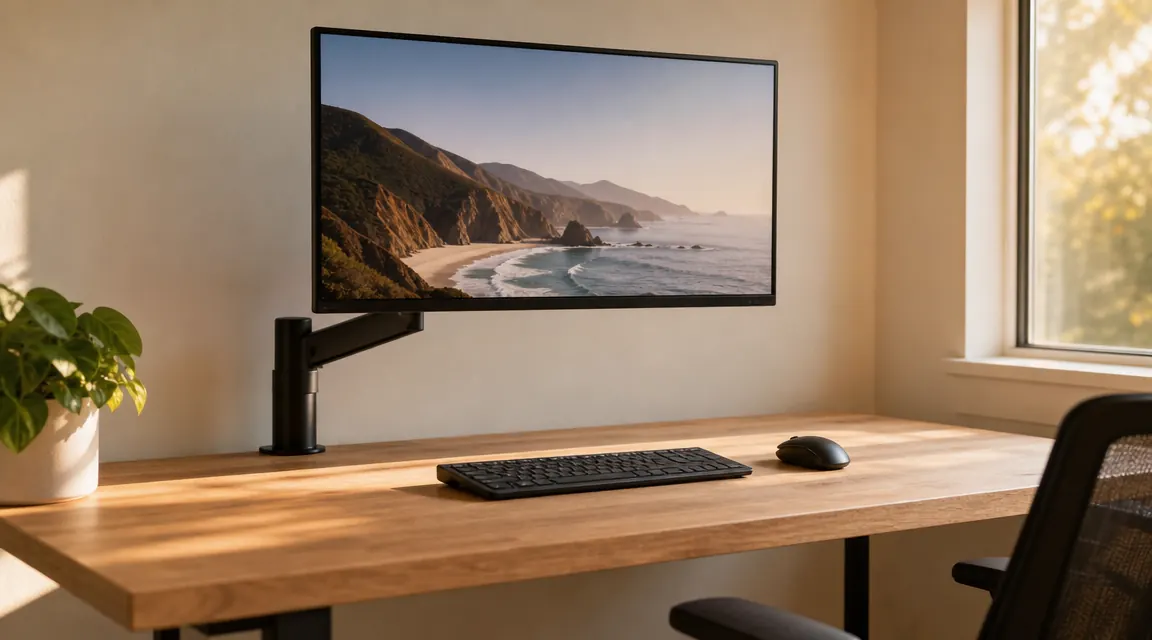
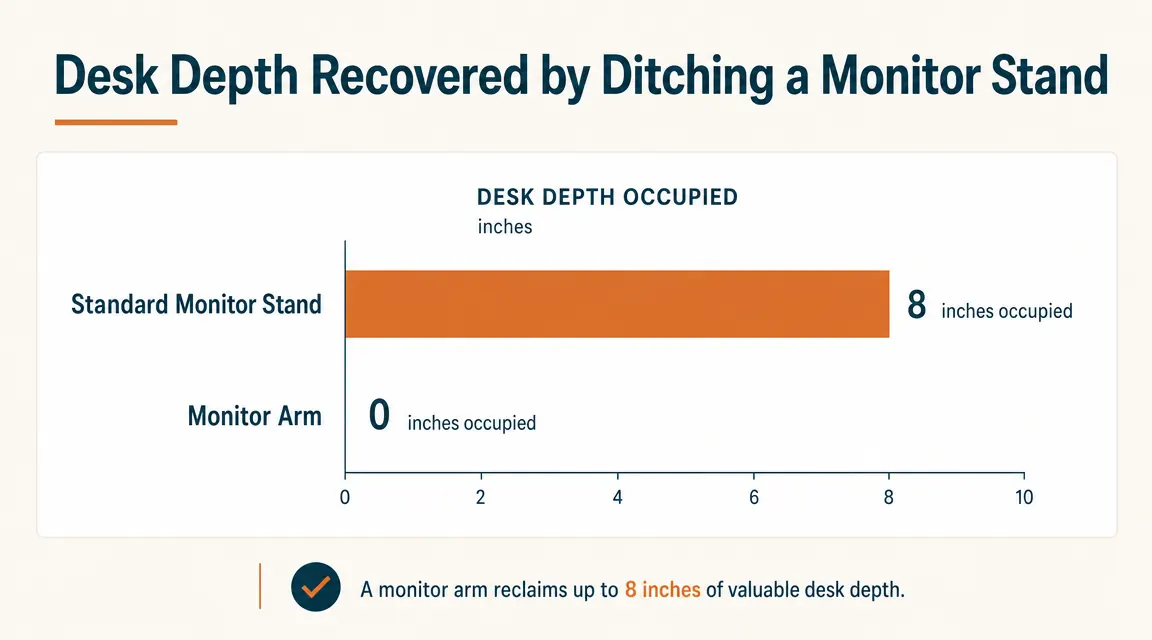
My desk is 24 inches deep. My old monitor stand was eating about eight of those inches, which left me with roughly 16 usable inches between the stand legs and the front edge. When you factor in a keyboard, that is not much room. I had been putting up with it for two years before I finally ordered the HUANUO single monitor arm. That was eight months ago. The stand has not come back out of the closet since.
The HUANUO arm costs in the budget range, has 7,093 reviews at a 4.6-star average on Amazon, and supports screens from 13 to 34 inches up to 19.8 lbs. On paper it should have been a no-brainer. In practice I had real questions before buying: Would the clamp mark my desk? Would the gas spring lose tension over time? Would the cable routing actually work or just look good in the product photos? Eight months in, I can answer all of those.
The Quick Verdict
A well-built, honest monitor arm that does everything the category promises at a price that makes the upgrade genuinely easy to justify.
Amazon Check Today's Price →Your monitor stand is using desk space it does not need to use.
The HUANUO arm installs in about 20 minutes, fits screens up to 34 inches, and has held its gas spring tension through eight months of daily adjustments. Check the current price on Amazon.
Amazon Check Today's Price on Amazon →How I Have Used It Over Eight Months
I run a 27-inch 1440p display at home and a 24-inch 1080p monitor when I travel and set up in a hotel or a truck cab. The HUANUO has lived on my home desk for eight months straight. My desk is a basic IKEA LINNMON, 47 by 24 inches, about 1.1 inches thick at the edge. Not a heavy hardwood surface. Just the standard hollow-core top you find in most apartment offices. The clamp mount was the thing I was most uncertain about.
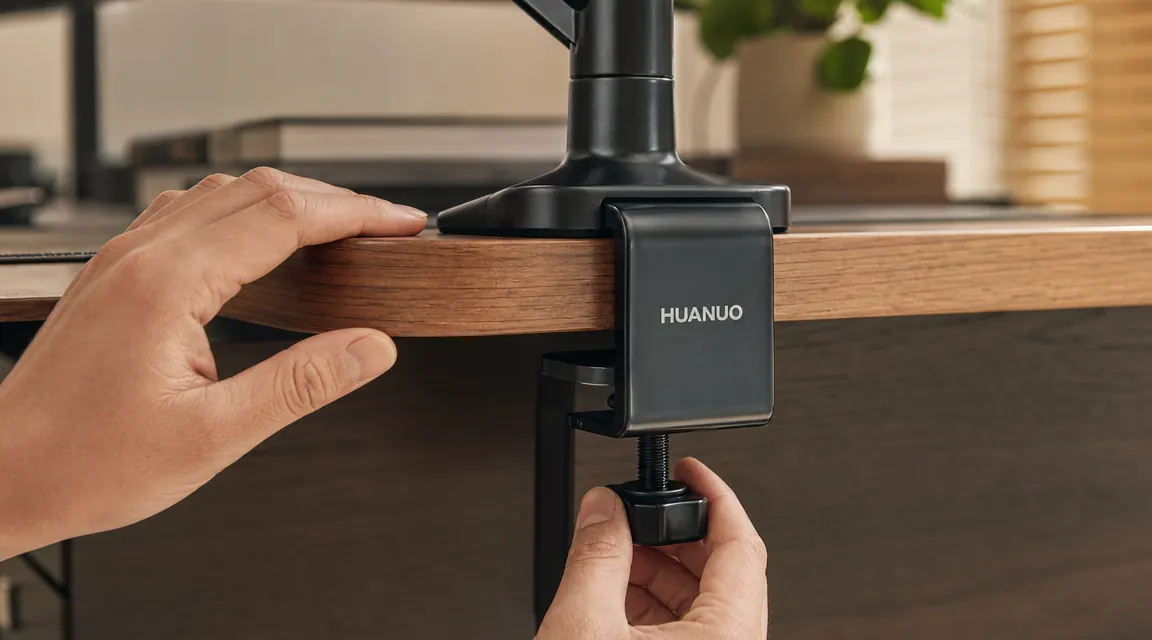
Setup took me about 20 minutes the first time. The clamp tightens with a hex bolt on the underside, and the package includes the hex key. I snugged it until there was no play in the base, then backed off one-quarter turn after I noticed the rubber pad had compressed fully. The display is a 16.5 lb Dell S2721DGF. The arm holds it without any perceptible sag.
Over the following months I adjusted the height at least once a week, sometimes switching between a seated and a standing converter setup. The gas spring has not softened noticeably. When I set the monitor to a height, it stays there. That is the most important single thing a monitor arm can do, and the HUANUO does it.
The Clamp: What It Grips, What It Marks
The clamp jaw opens to 2.5 inches, which covers most desk edges including thick solid-wood surfaces and the standard 1.5-inch particleboard or hollow-core tops. Both the top and bottom of the jaw have thick rubber pads. On my LINNMON I have zero marks or impressions after eight months. If you are working on an expensive solid walnut desk, you might want to add a piece of folded leather between the rubber and the wood anyway, but on everyday desk surfaces the stock pads protect well.
The clamp does not wobble on my desk edge, but I should be honest: the further your arm is extended horizontally, the more any desk clamp shows its limits. With the arm fully extended at 90 degrees from the post, there is a small amount of bounce when I push the monitor. It is not annoying at normal desk use, but if you type with a lot of force and your monitor is extended far out, you will see it. Retracting the arm even a few inches eliminates most of it. This is not a HUANUO problem specifically. It is just physics, and every clamp-mount arm at this price does the same thing.
Gas Spring Tension: Eight Months of Real Data
The gas spring tension is adjustable via a socket bolt on the back of the arm. The instructions include a tension scale based on monitor weight, and the range covers displays from about 3 lbs to 19.8 lbs. My 16.5 lb Dell needed the tension set near the high end, and I have not touched that adjustment since initial setup. The arm still holds position exactly where I leave it.
Where cheaper arms fail over time is that the gas spring slowly loses pressure, and the monitor starts drifting downward over days and weeks. I have not experienced that here. The spring feels exactly as firm at month eight as it did at week one. I cannot promise it will stay that way at two or three years, but for eight months of daily height adjustments it has been solid. That is a better result than I expected from a budget arm.
The spring feels exactly as firm at month eight as it did at week one. I set the monitor height, let go, and it stays there. That is the whole job.
VESA Fit, Tilt, and Swivel Range
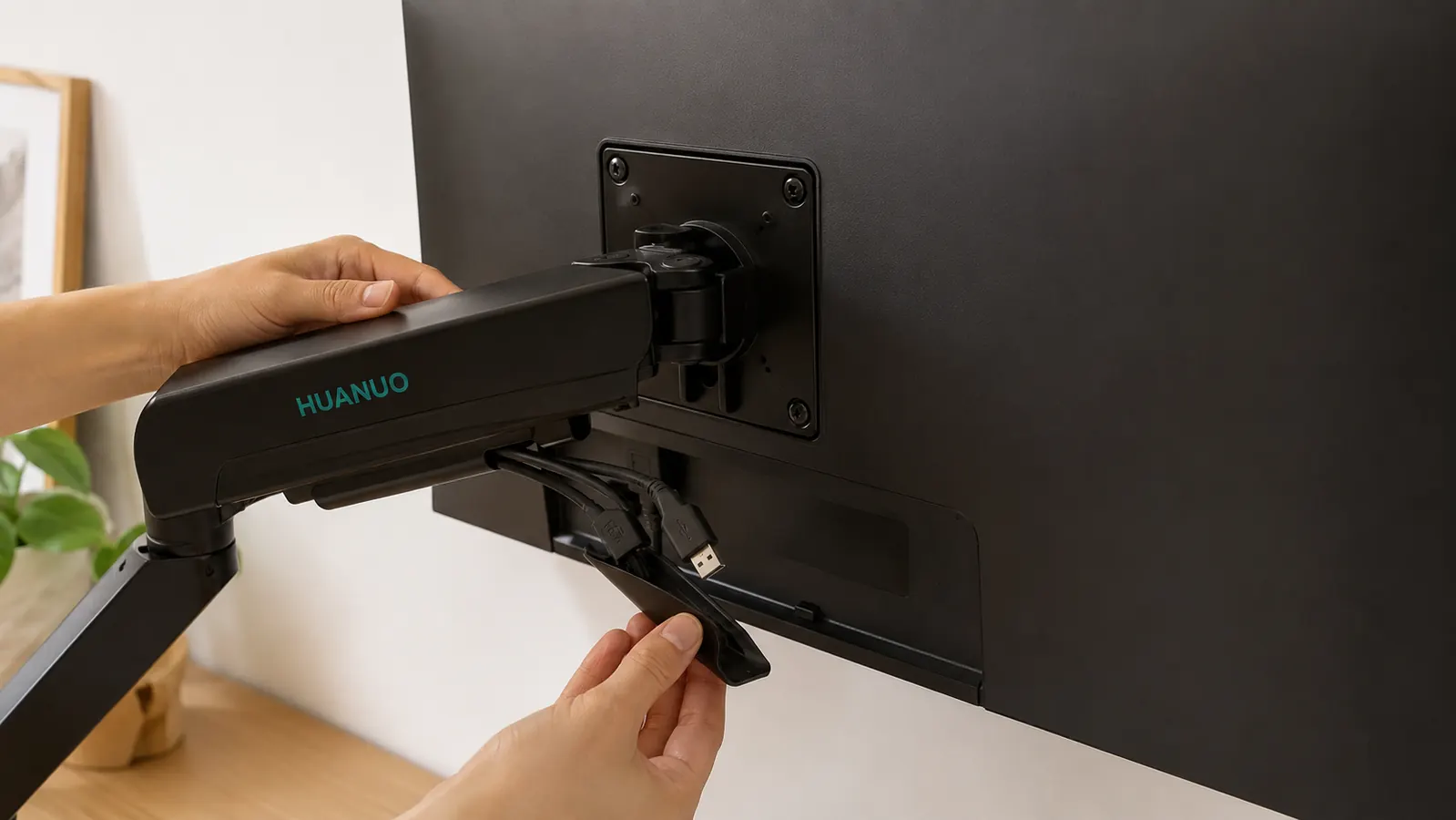
The HUANUO arm uses a standard 75x75 and 100x100 VESA mount plate with four M4 bolts. It fits every display I have tried it with, including a curved 32-inch ultrawide that I borrowed for a weekend to test compatibility. If your monitor does not have a VESA pattern, which is rare but happens with some budget displays, this arm will not work without a third-party adapter. Most screens made in the last five years do have VESA holes, so this is rarely an issue.
Tilt range is listed at plus-or-minus 90 degrees, which in practice means I can angle the screen down toward a seated position or tilt it almost vertical for a standing position. Swivel is 360 degrees at the post, and the arm can rotate about 90 degrees left or right from center on the horizontal joint. I have used the full swivel range to pivot the display toward a second person in the room when reviewing something together. The movement is smooth and the joint holds position without slowly rotating back.
There is a portrait rotation option too. I use it occasionally for reading long documents. The weight shifts a bit when you go portrait on a larger screen, and you will want to retighten the VESA bolts slightly to keep the screen from tilting under its own weight. Not a big deal, just something to know.
Cable Management: Genuinely Useful, Not Just Decorative
The arm has a channel that runs the full length of both arm segments from the VESA plate back to the post. My setup runs a DisplayPort cable and a USB-A cable to the monitor, and both fit inside the channel with room to spare. I used the included velcro ties to bundle them together at the post where they exit the arm. From the front of the monitor you see no cables at all. From behind you see a single tidy bundle dropping from the arm base down to the desk surface.
I have had monitor arms where the channel was too narrow for a thick DisplayPort cable, which forces you to zip-tie cables on the outside of the arm instead of routing them through. That defeats half the purpose. The HUANUO channel is wide enough for at least two standard cables simultaneously. If you run a full hub at the monitor with multiple USB cables plus power, you may need to route one or two externally, but for a typical single-cable or dual-cable setup, the internal routing works properly.
How It Changed the Desk
My old monitor stand had two legs that took up a footprint of roughly 9 by 8 inches. That footprint sat in the middle of my desk depth, which meant my effective working area was basically cut in half. Once the arm went up, that entire footprint disappeared. I moved my keyboard back to its natural position and gained enough room to keep a small notebook, a coffee cup, and my phone on the desk without everything feeling stacked.
The bigger change I did not anticipate was vertical adjustability. With the stand my monitor was at a fixed height. I tolerated it. With the arm I raised the display about three inches to put the top of the screen at eye level when I am seated upright. That single change reduced the neck tension I was getting in the afternoons. I would not have expected a monitor arm to matter for neck comfort, but the adjustability made it relevant to how my body actually feels at the end of a long day.
What I Would Do Differently
The hex key that ships with the arm is short. When tightening the clamp on the underside of the desk, you are working in a small, cramped space, and a longer-handled hex key would make it easier. A standard hardware-store hex key set solves this, but it is worth knowing you may want to grab one before you start the install.
I also wish the post had a grommet-mount option built in as an included adapter rather than as a separate purchase. My current desk has no grommet hole, so the clamp mount is fine. But if I moved to a desk with a grommet hole, I would want the option. HUANUO sells a grommet adapter separately, which is a reasonable solution, but including it in the box would make the package more complete.
Compared to the Ergotron LX, which costs considerably more, the HUANUO feels slightly less smooth when repositioning. The Ergotron LX is the standard by which most arms are measured, and its movement is genuinely exceptional. The HUANUO is not quite that fluid, but it is much closer than the price difference implies. For anyone not doing video work where constant on-the-fly repositioning matters, the HUANUO handles daily adjustments well. If you reposition your monitor dozens of times a day for camera angles or client-facing work, the Ergotron is worth the extra spend. For a standard home office, it is not. I cover that comparison in detail in my full HUANUO vs Ergotron LX breakdown, linked below.
What I Liked
- Gas spring held tension solidly through eight months of daily adjustments
- Clamp did not mark or damage a standard hollow-core desk surface
- Cable management channel fits two standard cables with room to spare
- Full 360-degree swivel and genuine tilt range, not just a few degrees
- Setup takes about 20 minutes with the included hardware
- Supports screens up to 34 inches and 19.8 lbs, which covers most single-monitor setups
Where It Falls Short
- Included hex key is short and awkward to use in tight under-desk spaces
- Grommet mount adapter sold separately, not included
- Arm bounce at full extension is noticeable on hard keystrokes, though not disruptive
- Movement is smooth but not as fluid as the Ergotron LX at three times the price

Who This Is For
The HUANUO arm is for anyone who has a monitor on a stand and wants to recover desk depth, improve screen height adjustability, or clean up cable routing without spending premium prices on an Ergotron or a Herman Miller branded arm. It is also a strong option if you are building a home office on a real budget and want the full ergonomic flexibility of a monitor arm without the arm being the most expensive thing on the desk. If you have a single monitor, a standard desk edge, and you are not a professional video editor repositioning your screen constantly, this arm will do the job.
Who Should Skip It
Skip the HUANUO if your desk has no edge that accommodates a clamp and you need a grommet mount out of the box. Skip it if you have an ultrawide display over 34 inches or a display heavier than 19.8 lbs. Skip it if you are a content creator who repositions a monitor repeatedly during a streaming or recording session and needs genuinely fluid movement every time. And skip it if you are already happy with an arm you have. There is no upgrade-for-its-own-sake case here. But if you are working off a monitor stand and wondering whether the arm swap is worth it, I would say yes, it is, and this one specifically will hold up.
Eight months, one hex bolt, and a lot more usable desk space.
The HUANUO single monitor arm fits screens from 13 to 34 inches, installs with one clamp, and routes your cables through the arm itself. The gas spring has held its tension without adjustment since day one. See the current price and available configurations on Amazon.
Amazon Check Today's Price on Amazon →